UC Browser-Safe, Fast, Private
UCWeb Singapore Pte. Ltd.

4.4 stars21,846,434 reviews1,000,000,000+Free
CommunicationEveryoneVersion VARYUpdated 5/6/2026, 1:56:07 PM
Open in StoreUC Browser: The Smart Internet Browser for Your Mobile Life
🌏Fast VPN | 🔍AI Search |🎬Video Player |☁️ ️Cloud Storage
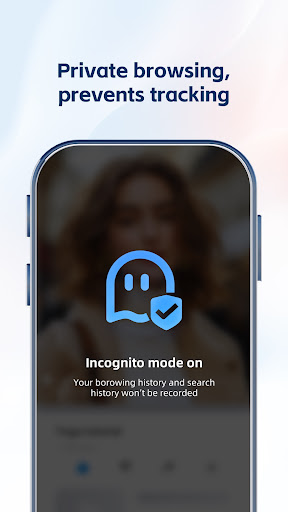
🔐Private Browser & Security Online
Protect your IP and traffic with our private browsing mode. As a secure browser, UC Browser ensures your online activity remains private. Use the fast VPN to encrypt data while accessing the global internet with enhanced security.
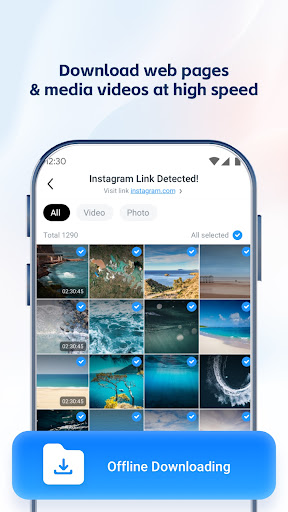
🎬Video Downloader & Offline Streaming
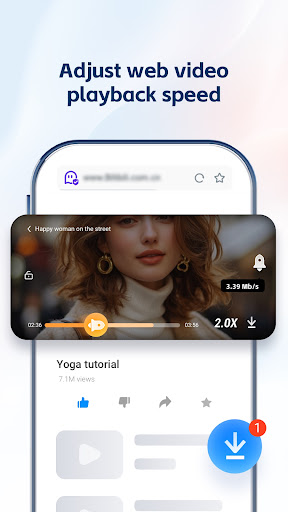
Save any movies and music using the integrated video downloader. Enjoy the video player and stream your favorite content offline anytime. This feature saves time and data, perfect for your mobile life on the go.
🚫 Ad Blocker for Fast Performance
Activate the ad blocker to remove web ads and pop-ups. By blocking distractions, you enjoy seamless navigation and reduced load time while browsing sites and apps within the web browser.
🔍 Smart Search with AI & GPT
Our advanced search engine helps you find files, news, and links instantly. Whether you need to translate documents or locate specific content, AI and GPT make your internet exploration efficient.
🌐 Translate & Global Access
Break language barriers with built-in translate tools supporting multi-language AI. Gain seamless access to global content, converting text in real-time for a smoother browser experience.
📁 UC Drive: Cloud Storage for Videos
Store your videos and files in 20GB cloud storage via UC Drive. Access your collection anywhere for an organized life.
⚡ Why Choose UC Browser?
Fast VPN: Secure your IP and browse private.
AI & GPT: Smart search for files and movies.
Ad Blocker: Fast loading without interruptions.
Private Browser: Maximum security for your traffic.
Video Downloader: Save videos for offline streaming.
Free & Fast: Enjoy a fast and free internet browser.
Manage Tabs: Organize your content with easy-to-use tabs.
📞 Support & Assistance
In the event of any issues, please follow the steps below for immediate assistance:Open the Application and navigate to Menu → Feedback. Submit your inquiry via the integrated feedback system.
Alternatively, contact us directly through the official channels listed below.
● Official Website: https://ucweb.com
● Facebook: http://www.facebook.com/ucbrowserindonesia
● X: https://twitter.com/ucbrowserindo
● YouTube: http://www.youtube.com/ucwebvideo
🌏Fast VPN | 🔍AI Search |🎬Video Player |☁️ ️Cloud Storage
🔐Private Browser & Security Online
Protect your IP and traffic with our private browsing mode. As a secure browser, UC Browser ensures your online activity remains private. Use the fast VPN to encrypt data while accessing the global internet with enhanced security.
🎬Video Downloader & Offline Streaming
Save any movies and music using the integrated video downloader. Enjoy the video player and stream your favorite content offline anytime. This feature saves time and data, perfect for your mobile life on the go.
🚫 Ad Blocker for Fast Performance
Activate the ad blocker to remove web ads and pop-ups. By blocking distractions, you enjoy seamless navigation and reduced load time while browsing sites and apps within the web browser.
🔍 Smart Search with AI & GPT
Our advanced search engine helps you find files, news, and links instantly. Whether you need to translate documents or locate specific content, AI and GPT make your internet exploration efficient.
🌐 Translate & Global Access
Break language barriers with built-in translate tools supporting multi-language AI. Gain seamless access to global content, converting text in real-time for a smoother browser experience.
📁 UC Drive: Cloud Storage for Videos
Store your videos and files in 20GB cloud storage via UC Drive. Access your collection anywhere for an organized life.
⚡ Why Choose UC Browser?
Fast VPN: Secure your IP and browse private.
AI & GPT: Smart search for files and movies.
Ad Blocker: Fast loading without interruptions.
Private Browser: Maximum security for your traffic.
Video Downloader: Save videos for offline streaming.
Free & Fast: Enjoy a fast and free internet browser.
Manage Tabs: Organize your content with easy-to-use tabs.
📞 Support & Assistance
In the event of any issues, please follow the steps below for immediate assistance:Open the Application and navigate to Menu → Feedback. Submit your inquiry via the integrated feedback system.
Alternatively, contact us directly through the official channels listed below.
● Official Website: https://ucweb.com
● Facebook: http://www.facebook.com/ucbrowserindonesia
● X: https://twitter.com/ucbrowserindo
● YouTube: http://www.youtube.com/ucwebvideo
Developer email
help@idc.ucweb.com
Developer website
https://m.ucweb.comReleased
Oct 25, 2011
Current version
VARY
Android version
8.0
Reviews & Ratings
4.4
out of 5
5
4
3
2
1
🙂 Mostly positive reviews
21,846,434 reviewsScreenshots