BOMTOON - 正版授權網漫
㈜ 키다리스튜디오

3.3 stars725 reviews100,000+Free
ComicsMature 17+Version 1.1.7Updated 1/15/2026, 9:40:11 AM
Open in StoreMore fun from BOM
Quickly do the following self-test, if you meet more than one item,
Come and experience the new world of comics!
1. Fans of BL and GL? ( Yes or No )
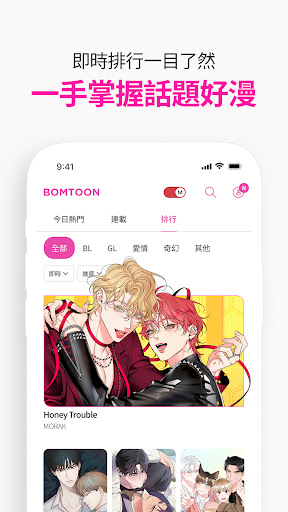
The most interesting BL, GL and Romance comics are all at your fingertips!
2. Want to support legitimate original work at the best price? ( Yes or No )
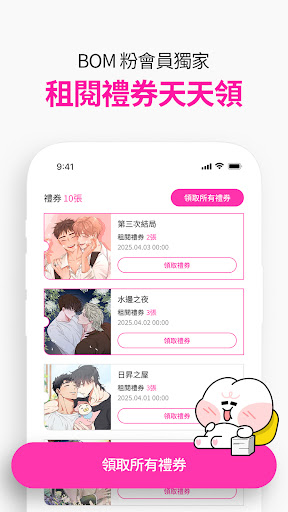
Free coupons and various discount activities allow you to enjoy cultural life without burden!
3. It’s super easy to get involved in the story, and you cry and laugh along with it if you’re not careful? ( Yes or No )
Turn on the continuous reading mode, so that your throbbing is not interrupted!
4. Are there works that are inconvenient to collect physical books? ( Yes or No )
The My Bookcase function allows you to easily manage your private work book list!
5. Do you have a special preference for works? ( Yes or No )
Use the tag function to define the type you like!
【Follow us】
BOMTOON official website: https://www.bomtoon.tw/
Facebook: https://www.facebook.com/BomtoonTW/
Instagram : https://www.instagram.com/bomtoon_tw/
Twitter : https://twitter.com/BomtoonTW
If you have any questions, please feel free to contact us through the customer service center of the website or APP.
The customer service center is open from Monday to Friday (working days), from 9:00 a.m. to 6:00 p.m. Taiwan time.
※Access right within the BOMTOON app
1. Necessary access rights: Storage
- Save files such as pictures
2. Selective Access: Camera
- Photos from the user's album
Quickly do the following self-test, if you meet more than one item,
Come and experience the new world of comics!
1. Fans of BL and GL? ( Yes or No )
The most interesting BL, GL and Romance comics are all at your fingertips!
2. Want to support legitimate original work at the best price? ( Yes or No )
Free coupons and various discount activities allow you to enjoy cultural life without burden!
3. It’s super easy to get involved in the story, and you cry and laugh along with it if you’re not careful? ( Yes or No )
Turn on the continuous reading mode, so that your throbbing is not interrupted!
4. Are there works that are inconvenient to collect physical books? ( Yes or No )
The My Bookcase function allows you to easily manage your private work book list!
5. Do you have a special preference for works? ( Yes or No )
Use the tag function to define the type you like!
【Follow us】
BOMTOON official website: https://www.bomtoon.tw/
Facebook: https://www.facebook.com/BomtoonTW/
Instagram : https://www.instagram.com/bomtoon_tw/
Twitter : https://twitter.com/BomtoonTW
If you have any questions, please feel free to contact us through the customer service center of the website or APP.
The customer service center is open from Monday to Friday (working days), from 9:00 a.m. to 6:00 p.m. Taiwan time.
※Access right within the BOMTOON app
1. Necessary access rights: Storage
- Save files such as pictures
2. Selective Access: Camera
- Photos from the user's album
Developer email
bomtooncs@kidaristudio.com
Developer website
https://www.bomtoon.tw/Released
Aug 9, 2022
Current version
1.1.7
Android version
6.0
Reviews & Ratings
3.3
out of 5
5
4
3
2
1
😐 Reviews are mixed
725 reviewsScreenshots