PixelMe: AI Pixel Art Camera
AI Gahaku

4.1 stars5,904 reviews100,000+Free
Art & DesignEveryoneVersion 4.28.13Updated 5/15/2026, 5:08:47 PM
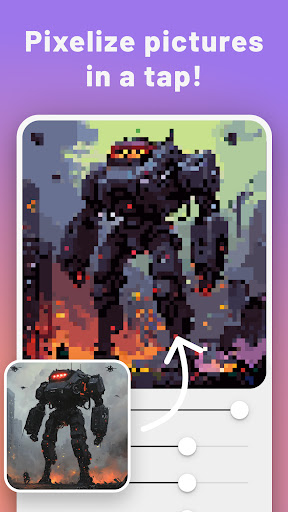
Open in StorePixelMe turns photos into pixel art avatars, 8-bit portraits, and sprite-inspired images in a few taps.
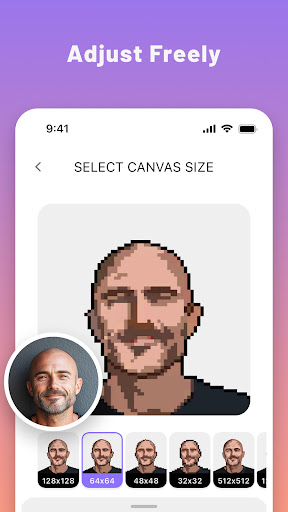
Start with a selfie, pet photo, or favorite picture and convert it into a retro art style without learning a complex editor. PixelMe gives you a fast AI starting point, then lets you clean up colors and details so the result feels more like your own artwork.
What you can do with PixelMe:
- Convert photos into pixel art with AI
- Create avatars and 8-bit portrait images
- Make sprite-inspired profile pictures and game-style icons
- Edit colors and small details after the first conversion
- Save and share results for profiles, social posts, or creative projects
PixelMe is for people who want a simple photo to pixel art tool, not a complicated drawing program. Use it when you want a quick avatar, a retro 8-bit look, or a playful starting point for your next edit.
Download PixelMe and turn your next photo into pixel art.
Start with a selfie, pet photo, or favorite picture and convert it into a retro art style without learning a complex editor. PixelMe gives you a fast AI starting point, then lets you clean up colors and details so the result feels more like your own artwork.
What you can do with PixelMe:
- Convert photos into pixel art with AI
- Create avatars and 8-bit portrait images
- Make sprite-inspired profile pictures and game-style icons
- Edit colors and small details after the first conversion
- Save and share results for profiles, social posts, or creative projects
PixelMe is for people who want a simple photo to pixel art tool, not a complicated drawing program. Use it when you want a quick avatar, a retro 8-bit look, or a playful starting point for your next edit.
Download PixelMe and turn your next photo into pixel art.
Developer email
aigahaku@gmail.com
Developer website
https://pixel-me.tokyoReleased
Feb 22, 2021
Current version
4.28.13
Android version
8.0
Reviews & Ratings
4.1
out of 5
5
4
3
2
1
⚠️ Users report mixed experiences
5,904 reviewsScreenshots